The best baby monitor isn’t one product. It’s two, maybe three, because the right pick depends entirely on what kind of parent you are. A baby monitor is a strange little device when you think about it — an expensive walkie-talkie where you don’t get to talk and the other person has no idea you’re listening. They’ve been around since 1937, and somehow the category still can’t agree on what “best” means, mostly because every roundup picks one winner as if every parent wants the same thing. They don’t.
So we ran the test ourselves. Eight monitors, two kids (Hank first, then Dean), more than six months of real use at home, at the grandparents’ place, and on the road. Wifi and non-wifi, smart and simple. We measured EMF on every one with a $200 meter, timed the connections, and walked each parent unit down the block until it died. Nobody paid for a spot on this page. What follows is which monitors match how you actually parent, and which ones to skip.
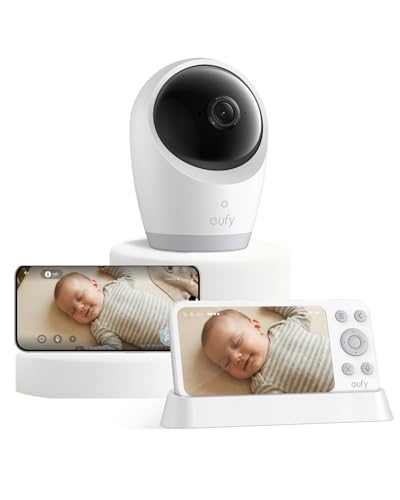
Two picks, because there are two kinds of parent: if you want sleep data and insights, the Nanit Pro is the one. If you mostly want to glance at a screen and confirm the baby’s still breathing and not staging a crib escape, the Eufy E21 does that and travels well.

Which of those is right for you comes down to a single question, and the rest of this page walks through it.
Fathercraft’s quick answer: We tested eight baby monitors across two kids over six-plus months, at home and traveling, and measured EMF on every one with a $200 meter. There’s no single best baby monitor — the right pick depends on the parent. For sleep data and insights: the Nanit Pro (from $399 plus an Insights subscription). For health and vitals: the Owlet Dream Duo 3 ($379.99), the only FDA-cleared pulse-oximetry pick. For privacy and travel: the Harbor ($499, no subscription, works without wifi). For most people: the Eufy E21 ($179.98), a hybrid that runs with or without wifi. For best value: the VTech Advanced HQ Max ($89.95, non-wifi, motion detection). Consider with caution: the Miku Pro ($249) puts breathing tracking behind a subscription. Skip the BabySense HD S2 and HelloBaby HB6550 (weak range and picture). Two-year costs run from about $80 (VTech) to ~$780 (Nanit, top tier).
We’ve reviewed monitors at Fathercraft for eight years, so the picks below are sorted by the kind of parent you are, not by a single trophy.
8 monitors · two kids · 6+ months · $200 EMF meter · no sponsor
- 📊 Want sleep data & insights → Nanit Pro (from $399 + sub)
- ❤️ Worried about health / preemie → Owlet Dream Duo 3 ($379.99)
- 🔒 Privacy + travel → Harbor ($499, no sub)
- 👶 Just want to see the baby, flexible → Eufy E21 ($179.98)
- 💵 Best value, no wifi → VTech Advanced HQ Max ($89.95)
Which kind of baby monitor parent are you?
There are two, and buying the wrong type is how you end up either overpaying for data you’ll never open or lying awake because the thing won’t tell you enough.
Data parents want reassurance in numbers. Breathing tracking, sleep analytics, “asleep at 8:47, stirred at 9:04, up at 2.” First-time parent? This is probably you, and that’s fine — the data is a coping mechanism for an uncontrollable situation, and sometimes it works. The picks here are the Nanit, the Owlet, and the Harbor.
“Just show me the baby” parents want reliability. Clear picture, clear audio, works when the wifi doesn’t, no app, no monthly fee. You want to look at the screen, confirm the kid is asleep, and get on with your night. The picks here are the Eufy E21 and the VTech.
Neither camp is wrong. And fair warning to the first-timers: you will develop a low-grade hypochondria about your baby no matter which you buy. The only question is whether more alerts will calm you down or wind you up.
Baby monitors at a glance
| Monitor | Best for | Price | Subscription | WiFi | Parent unit | Breathing / vitals | 2-yr all-in |
|---|---|---|---|---|---|---|---|
| Nanit Pro | Sleep data | from $399 | Yes (~$5–30/mo) | WiFi | 8″ touchscreen | Breathing (band/wear) | $420–$780 |
| Owlet Dream Duo 3 | Health / vitals | $379.99 | Base free; analytics ~$9.99/mo | WiFi | App | Vitals (HR + O₂), FDA-cleared | ~$620 |
| Harbor | Privacy / travel | $499 | None | Hybrid (local backup) | 10″ dedicated | No | $499 |
| Eufy E21 | Most people | $179.98 | None | Hybrid (switch) | 5″ + app | No | ~$180 |
| VTech Advanced HQ Max | Best value | $89.95* | None | Non-WiFi | 7″ unit | No (motion detect) | ~$90 |
| Miku Pro | Caution | $249 | Yes (~$9.99/mo) | WiFi | App | Breathing (contact-free) | ~$489 |
PUT THE LEAD MAGNET HERE
If you’re a data parent
Nanit Pro — best for sleep data and insights
The Nanit Pro ($399 for the camera-and-8″-display bundle, plus an Insights subscription) is the most detailed sleep tracker in the category, and after three-plus years of daily use across two kids, it’s still the one whose data I actually check. Three numbers come up on my phone every morning: when the kid fell asleep, when they woke, and how many times they stirred. Those three are a shockingly good predictor of how feral the next twelve hours are going to be. The newer Sleep Score feature rolls all of it into a single number with a sentence of context, which is about the right amount of information for a brain running on four hours of sleep.
Nanit finally added a dedicated touchscreen parent unit, too, so you’re not tying up your phone all night. Breathing tracking works through a wearable band or the Breathing Wear pajamas, and both do the job. Picture quality is the soft spot — it’s 1080p, but side by side it isn’t as crisp as the Harbor or the Eufy. Not a dealbreaker. A little disappointing at the price.
And the price is the real conversation. The sticker is a work of fiction, because the analytics that make a Nanit worth owning live behind a subscription that runs from about $5 to $30 a month, with most parents landing around $10–15. Over two years you’re looking at roughly $420 to $780 all-in. Worth it if you’re the parent who actually uses the data to fix nap schedules and ride out regressions. If you’re going to glance at it twice and forget it exists, you just bought a very nice webcam on an installment plan.
Owlet Dream Duo 3 — best for health concerns and peace of mind
The Owlet Dream Duo 3 (Dream Sock + 2K Dream Sight camera, $379.99 MSRP) tracks what nothing else here can: your baby’s actual vitals, heart rate and blood oxygen, read through pulse-oximetry, the same approach hospitals clip to your finger. The Dream Sock was the first FDA-cleared consumer wearable of its kind, and that clearance isn’t marketing garnish; it’s the reason this is the pick for parents of preemies, kids with respiratory issues, or anyone whose specific 3 a.m. fear is “what if something is actually medically wrong.” The socks fit babies from one to 18 months, and base vitals work with no subscription. Sleep analytics and trends are the part that costs about $9.99 a month.
The camera holds up on its own: 2K, a 130-degree view, clean night vision, and automatic clip recording on sound, movement, or an out-of-zone alert. Owlet runs sales constantly (there was a 15% code live as I wrote this), so check the current price before paying full MSRP. Over two years you’re around $620 all-in.
If your anxiety is medical rather than logistical, nothing else on this list speaks the same language.

Harbor — best for privacy and travel
The Harbor ($499, no subscription, ever) is the monitor I reach for when the wifi can’t be trusted, which on the road is always. You pay once for the camera plus a 10-inch dedicated parent unit, you own it, and every feature they ship lands on your device for free — a different deal in a category built on monthly fees. The part that sold me is that it works with or without the internet. On a San Diego trip with my wife’s parents, the house wifi was the usual vacation-rental disaster, and Harbor’s local backup mode ran camera-to-monitor with no connection at all. It just worked.
Two more things matter here. The picture is crisp, with strong night vision, and noticeably sharper than the Nanit side by side. And your footage stays local, with end-to-end encryption and no cloud archive of your kid’s midnight meltdowns sitting on someone’s server. There’s no breathing tracking, and the software is younger than Nanit’s, so it’s a little less polished. Those are the tradeoffs for owning your data outright.
One pairing worth mentioning, since travel is where Harbor earns its keep: the monitor handles the room, but it can’t carry the baby through an airport. That’s where the Fathercraft Sling lives, with a quick-release buckle, a real parent pocket, and a built-in changing pad for the gate-change you didn’t plan for. Different job, same trip.
If you just want to see the baby
Eufy E21 — best for most people
The Eufy E21 ($179.98) is the one I’d hand to most parents, because it refuses to make you choose between wifi and no-wifi. Flip a switch and it’s a self-contained camera-and-screen with a 5-inch parent unit; flip it back and you’ve got a full app with push notifications. Backyard? Open the app. Garbage hotel wifi? Drop to local. The picture is the sharpest in the whole test — a 4K camera with crisp night vision — and the app is good in the plain sense, not the “good for a baby monitor” sense. Pan, tilt, and 8× zoom are all there, plus a built-in battery so you can move it room to room.
Two caveats, both worth saying out loud. It’s more than double the VTech, so if you’ll never touch the app, you’re paying for flexibility you won’t use. And Eufy is owned by Anker; in 2022 researchers found Eufy cameras uploading data to the cloud despite a “local storage only” promise, and the company later settled with the New York Attorney General for $450,000. Eufy says it’s fixed, and I haven’t seen a new incident since. If wifi flexibility matters and data security genuinely keeps you up at night, the Harbor is the cleaner choice. If it doesn’t, this is the best monitor in its tier, full stop.
VTech Advanced HQ Max — best value
The VTech Advanced HQ Max ($89.95 on Amazon as I write this, no wifi, no app, no fees) earns its spot with parents who just want a monitor that works. The screen is a generous 7 inches, the video is properly crisp, and the build feels like actual electronics rather than a cereal-box prize. Range is the headline: the parent unit held a signal well past where you’d ever reasonably stand from the crib. Audio is smooth, with none of the robotic stuttering the cheap monitors fall into.
The feature that separates it from every other non-wifi monitor I tested is motion detection. Most monitors in this class manage sound activation at best — the baby cries, the screen wakes. The VTech actually watches for movement, which is smart-monitor behavior in a unit that never touches your network. It also runs a 5000mAh battery for roughly 12 hours, with night vision, a two-way talk button, and a multi-color night light.
The only thing you give up is the phone. No app means no push notifications, so you have to be looking at the parent unit to know what’s happening. Prices on a monitor like this bounce around with Amazon sales, so check the live number. For under a hundred bucks, that’s a trade most families will happily make.

Consider with caution: Miku Pro
The Miku Pro (now $249, down from $399, plus a subscription for the good stuff) is a hard one, because the hardware is excellent and the company keeps changing the deal. Crisp 1080p, a wide field of view, and contact-free breathing tracking through its five-sensor SensorFusion system that works without anything on the baby. The sleep-analytics interface is one of the cleanest in the category.
The catch is the business model. After an ownership change, breathing tracking — the feature people bought the thing for — moved behind a roughly $10-a-month subscription. Imagine buying a car and a year later the new owners switch off the air conditioning unless you start paying monthly. The hardware’s still good. The relationship comes with terms that can change after you’ve handed over the money, so go in with your eyes open. You can see current pricing on Miku’s site.
What we’d skip
Two monitors sell extremely well and shouldn’t.
The BabySense HD S2 carries a “top pick” badge from a major review outlet, and our testing didn’t come close to backing that up. Put one wall between the camera and the parent unit and the connection starts to sweat; two walls and it drops in and out; three and it’s gone. To test range we walked out the front door with each monitor and kept going — BabySense quit about 20 feet out, while the Eufy, VTech, and HelloBaby all made it halfway down the neighbor’s sidewalk. The picture and audio trail the VTech badly, too. And the kicker: the monitor people buy because they’re scared of wifi radiation peaked at 36 times the Nanit’s reading in our EMF testing. Whatever the badge says, this isn’t the one.
The HelloBaby HB6550 earns one real compliment: the range is excellent, the same halfway-down-the-sidewalk distance as the VTech. Everything after that falls apart. The video looks like a police sketch of a baby — somewhere between a Nintendo 64 character and a face described by a witness without their glasses. There’s no external volume button, so adjusting the sound means clicking three menus deep like you’re reprogramming a VCR. The build feels like a Happy Meal toy. It reportedly sells around 30,000 units a month, which says more about marketing than about the monitor.
The oddball question: can you use a Nest Cam as a baby monitor?
People ask this constantly, so here’s the short version: a Nest Cam is a great security camera and a mediocre baby monitor. It’s missing what makes a monitor a monitor, starting with a constant background audio feed, so it works in a pinch and frustrates you the rest of the time. We dug into the full answer, video included, in a dedicated post on using a Nest Cam as a baby monitor. If that’s the rabbit hole you’re in, start there.
Are these monitors safe? What our EMF testing found
Plenty of parents go non-wifi specifically over radiation worries, so we measured it: every monitor here, with a $200 EMF meter, at two feet and again at five. The result is the opposite of the marketing. The “safe” non-wifi BabySense peaked at 12.64 mW/m² at two feet, roughly 36 times the wifi Nanit’s 0.35, and most of the non-wifi units read higher than the wifi cameras they’re supposedly safer than. For scale, a wifi router at that same two feet measured 18.3 and a phone against your ear hit 15.19, so even the worst monitor here sits below the devices already in your pocket.
The number that actually matters is distance. Every reading fell off hard by five feet: BabySense dropped from 12.64 to 0.87, the Nanit to 0.17. So whatever you buy, mount the camera at least six feet from the crib and use the zoom instead of carrying it closer. That one move beats chasing a “low-EMF” brand.
Full methodology, every device, and both distances are in our EMF testing deep-dive on whether wifi baby monitors are safe. If radiation is the reason you’re shopping non-wifi in the first place, read that before you decide.
Baby monitor FAQs
What’s the best baby monitor for 2026?
There isn’t a single one, and any list that names just one is guessing about your life. For sleep data, the Nanit Pro. For health and vitals, the Owlet Dream Duo 3. For privacy and travel, the Harbor. For most people who just want a reliable picture, the Eufy E21. For the best value with no fees, the VTech Advanced HQ Max.
What’s the best hybrid (wifi and non-wifi) baby monitor?
The Eufy E21. It flips between a local connection and full wifi-with-app on a switch, so you get a dependable parent unit at home and push notifications when you’re away. Harbor is the other strong option — it runs a local backup mode when the internet drops, which is what makes it a travel favorite.
What’s the best baby monitor without a subscription?
The VTech (around $90) and the Eufy E21 ($179.98) charge you nothing after purchase. Among the smart monitors, the Harbor ($499) is the standout — full features, no monthly fee, ever. Nanit, Owlet, and Miku all gate their best features behind subscriptions.
What’s the best non-wifi baby monitor?
The VTech Advanced HQ Max for a pure non-wifi unit — 7-inch screen, real motion detection, long range, around $90. If you want a non-wifi setup that can also go online when you want it to, the Eufy E21‘s hybrid switch is the better buy.
What’s the best baby monitor for travel?
The Harbor, because its local backup mode ignores bad hotel and rental wifi entirely. The Eufy E21 is the lighter, cheaper alternative with the same flip-to-local trick. Pair either with the Fathercraft Sling for the hands-free part the monitor can’t help with.
What’s the best baby monitor for twins or two cameras?
Look for systems that support multiple cameras on one parent unit. Nanit and Eufy both add cameras to a single account or unit cleanly; confirm the second-camera cost before you buy, since that’s where the price can jump. [VERIFY MARK: which setup did you find easiest for multi-cam, Nanit or Eufy?]
Are wifi baby monitors safe?
Yes, by the numbers. In our testing the wifi monitors emitted far less radiofrequency energy than a phone on a call or a wifi router, and emissions fall quickly with distance. Mount any monitor six feet or more from the crib and use zoom. Full data is in our EMF deep-dive.
Can you use an HSA or FSA to buy a baby monitor?
Usually yes if the monitor tracks movement, breathing, pulse, or blood oxygen. The Owlet Dream Sock and Dream Duo qualify, and Nanit’s Breathing Wear line does too — though a Nanit bought without a breathing component will not. Check whether accessories are eligible separately, and keep your receipt.
What’s the best baby monitor in Australia, Canada, or the UK?
The picks hold up internationally, with availability the main variable. Nanit, Owlet, and Eufy sell through local retailers and Amazon in all three markets; VTech’s exact model names vary by region; Harbor is primarily US-direct, so check shipping before counting on it abroad. Pricing shifts with currency and import, so treat the US figures here as a baseline.
What’s next?
If you landed here because you’re deep in the sleep-deprivation tunnel, start with the monitor that fits your camp and then go one level deeper on it — our full Nanit review, Owlet review, Harbor review, and the new Eufy E21 review all carry the long-form testing notes that wouldn’t fit here.
If the radiation question is still rattling around your head, the EMF testing breakdown is the one piece of reading that’ll actually settle it, because it’s numbers instead of vibes.
And if you’re reading this before the baby’s even here, the monitor is the easy part. The hard part is the stuff nobody hands you a manual for, which is exactly why we built Father’s Ed — a short, hands-on course for new and expecting dads that covers far more than gear. You can try the first third for a dollar and keep everything even if you bail. And if you’d rather watch the testing than read about it, Mark walks through all eight monitors in the video up top.
Now go get some sleep. You’re going to need it.