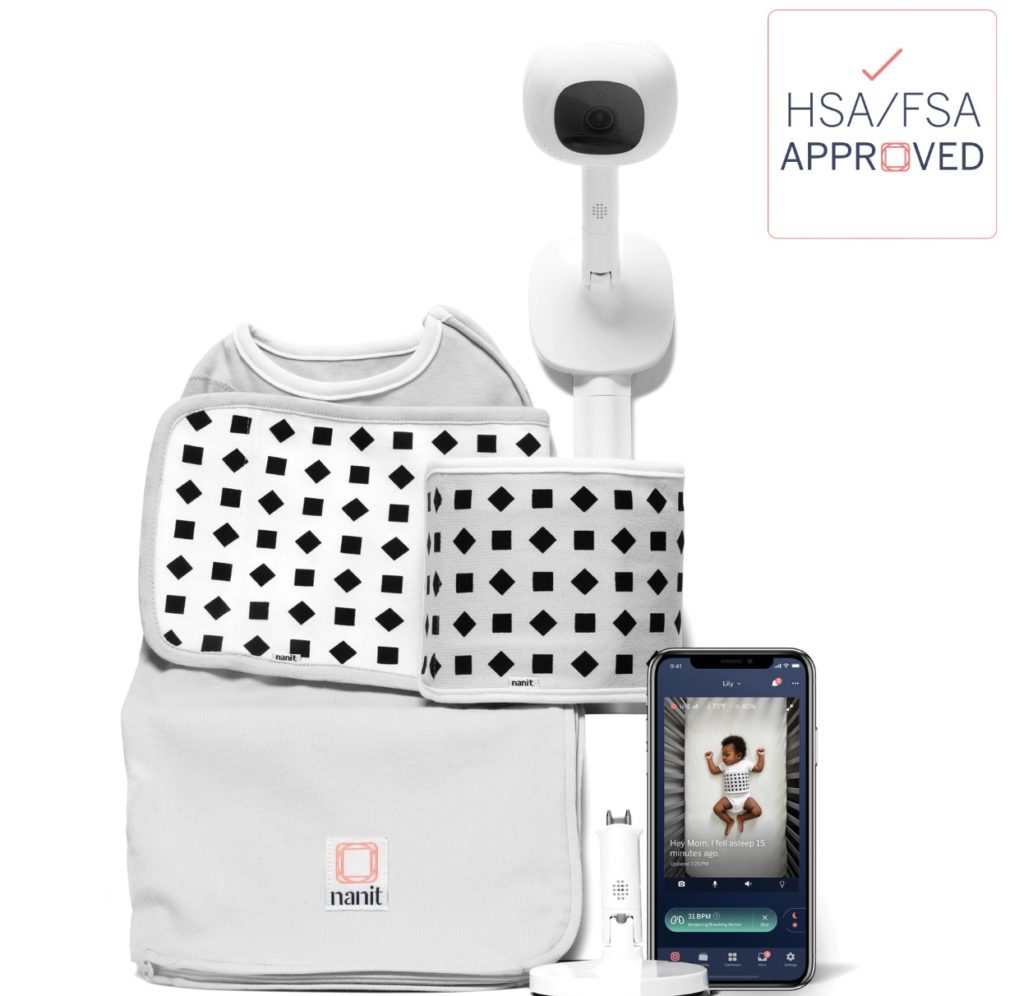
The best baby monitor isn’t one product. It’s two, maybe three, because the right pick depends entirely on what kind of parent you are. A baby monitor is a strange little device when you think about it — an expensive walkie-talkie where you don’t get to talk and the other person has no idea you’re listening. They’ve been around since 1937, and somehow the category still can’t agree on what “best” means, mostly because every roundup picks one winner as if every parent wants the same thing. They don’t.
So we ran the test ourselves. Tested across more than twenty monitors over the past two years, the newest, Philips, for eight weeks. Ten monitors on this page, two kids (Hank first, then Dean), each one in real use for at least 8 weeks, some much longer: at home, at the grandparents’ place, and on the road. Wifi and non-wifi, smart and simple. We measured EMF on the original eight with a $200 meter, timed the connections, and walked those parent units out the front door and down the sidewalk until they dropped. What follows is which monitors match how you actually parent, and which ones to skip.
No brand paid for a spot on this list. It can’t be bought. That said, we do have paid relationships with some brands, including Nanit, Owlet and Philips Avent (Philips Avent sent its monitor free, not as a loan), and we earn a commission if you buy through our links, at no cost to you. How we make money. Also, we are a participant in the Amazon Services LLC Associates Program, an affiliate advertising program designed to provide a means for us to earn fees by linking to Amazon.com and affiliated sites.
Two picks, because there are two kinds of parent: if you want sleep data and insights, the Nanit Smart Baby Monitor is the one. If you mostly want to glance at a screen and confirm the baby’s asleep and not staging a crib escape, the Eufy E21 does that and travels well.
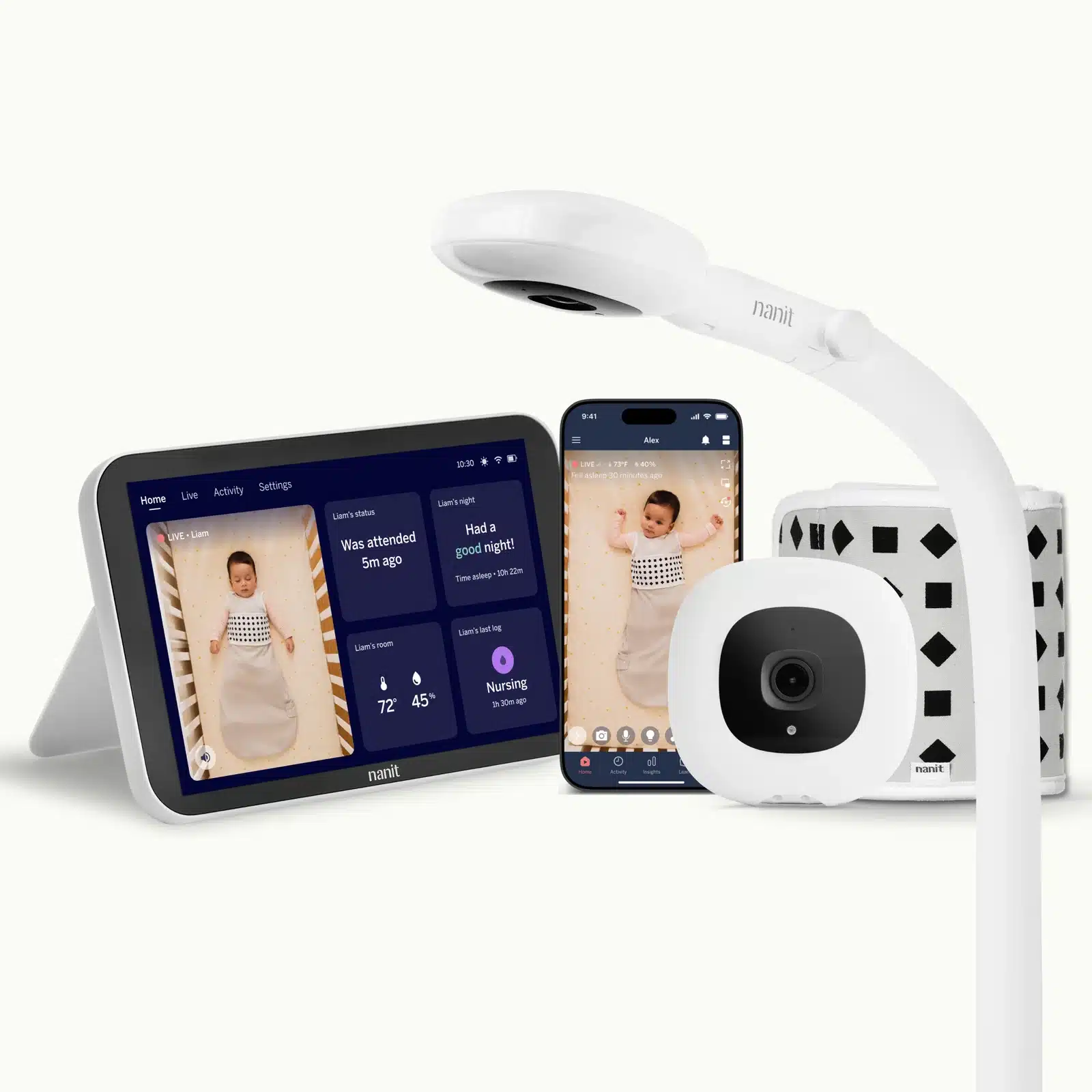
8 years in, Nanit is still our overall favorite baby monitor for parents who want more than just the basic 'see and hear the baby' monitor.
8 years in, Nanit is still our overall favorite baby monitor for parents who want more than just the basic ‘see and hear the baby’ monitor.
Fathercraft’s quick answer: We tested 10 baby monitors on two kids, each for at least 8 weeks. There’s no single best one; it depends on the parent. Sleep data: Nanit Smart Baby Monitor (9/10; from $249; Insights optional). Pulse and oxygen: Owlet Dream Duo 3 (8.5/10; $379.99), with an FDA-cleared Dream Sock. Breathing tracking, nothing on the baby, no subscription: Philips Avent Premium Connected (8.5/10; $349.99). Privacy and travel: Harbor (8/10; $499; works without wifi). Most people: Eufy E21 (8/10; $259.99), a wifi/local hybrid. Best non-WiFi: VTech Advanced HQ Max (7.5/10; motion detection, top range). Caution: Miku Pro (8/10; from $129.99) charges for breathing tracking. Skip: Momcozy BM04 (6.5/10), BabySense HD S2 (5/10) and HelloBaby HB6550 (4/10).
10 monitors · two kids · 8+ weeks each · $200 EMF meter · no paid placements
- 📊 Want sleep data & insights → Nanit Smart Baby Monitor (from $249 + optional sub)
- ❤️ Want pulse and oxygen readings → Owlet Dream Duo 3 ($379.99)
- 🚫 Breathing tracking, nothing on the baby, no subscription → Philips Avent Premium Connected ($349.99)
- 🔒 Privacy + travel → Harbor ($499, core no sub)
- 👶 Just want to see the baby, flexible → Eufy E21 ($259.99 list)
- 💵 Best non-WiFi and best value → VTech Advanced HQ Max (no wifi, no fees)
- ❓ Still deciding? → Jump to the baby monitor FAQs
How we tested
- Who and how long: 10 monitors, two kids (Hank, then Dean), each tested for at least 8 weeks (some much longer), at home, at the grandparents’ and traveling.
- Range: walked out the front door with each of the original eight parent units until the signal dropped.
- EMF: the original eight monitors measured with a $200 meter at two feet and five feet.
- Cost: two-year all-in price including any subscription, prices checked Oct 29, 2026.
- Sourcing: we bought the three non-WiFi monitors (VTech, BabySense, HelloBaby); every other brand sent its unit free.
- Ratings: Mark’s overall score out of 10, shown with each pick.
Which kind of baby monitor parent are you?
There are two, and buying the wrong type is how you end up either overpaying for data you’ll never open or lying awake because the thing won’t tell you enough.
Data parents want reassurance in numbers. Breathing tracking, sleep analytics, “asleep at 8:47, stirred at 9:04, up at 2.” First-time parent? This is probably you, and that’s fine — the data is a coping mechanism for an uncontrollable situation, and sometimes it works. The picks here are the Nanit, the Owlet, the Philips Avent, and the Harbor.
“Just show me the baby” parents want reliability. Clear picture, clear audio, works when the wifi doesn’t, no app, no monthly fee. You want to look at the screen, confirm the kid is asleep, and get on with your night. The picks here are the Eufy E21 and the VTech.
Neither camp is wrong. And fair warning to the first-timers: you will develop a low-grade hypochondria about your baby no matter which you buy. The only question is whether more alerts will calm you down or wind you up.
The one thing this page can’t do is show you the picture quality and the app experience of these monitors. If you want to see what the HelloBaby actually looks like next to the Eufy, that’s what the video is for.
Update, September 2026: Some prices and plan details in this video have changed, so go by the written guide below. Two corrections: Owlet’s Dream Sock is meant for healthy babies, not as medical monitoring for preemies or diagnosed conditions, and our EMF readings aren’t a safety test, so mount any camera the way its manual says.
This video was filmed in February 2026, before any of the brand deals mentioned on this page, and covers the original eight monitors.
Baby monitors at a glance
Swipe sideways to compare →
| Monitor | Best for | Price | Subscription | WiFi | Parent unit | Breathing / vitals | 2-yr all-in |
|---|---|---|---|---|---|---|---|
| Nanit Pro | Sleep data | from $249 | Optional; paid sleep analytics (Memories $120/yr; Milestones $300/yr; needs Wall Mount or Floor Stand) | WiFi | Phone app; optional 8″ display | Breathing (band/wear) | $290 camera only; ~$530 w/ Memories; ~$890 w/ Milestones |
| Owlet Dream Duo 3 | Pulse + oxygen readings | $379.99 | Base free; Owlet360 extras $99.99/yr (or $9.99/mo) | WiFi | App | Pulse + O₂ (Dream Sock FDA-cleared) | $380 (no plan) / ~$580 (w/ Owlet360) |
| Philips Avent Premium Connected | No subscription | $349.99 (SCD973/37) | None required; Moments $5.99/mo optional | WiFi + local parent unit | 5″ + app | Breathing rate (contact-free) | $349.99 (no plan) |
| Harbor | Privacy / travel | $499 | Core: none; AI ~$15/mo | Hybrid (local backup) | 10″ dedicated | No | $499 |
| Eufy E21 | Most people | $259.99 list | None | Hybrid (WiFi or local switch) | 5″ + app | No | $259.99 (no plan) |
| VTech Advanced HQ Max | Best non-WiFi / value | See current Amazon price | None | Non-WiFi | 7″ unit | No (motion detect) | Purchase price only |
| Miku Pro | Caution | from $129.99 | Yes for breathing (Mikucare Membership $9.99/mo) | WiFi | App | Breathing (contact-free) | ~$370 (with membership) |
| Momcozy BM04 | Skip (not recommended) | $189.99 | None required; cloud storage paid | WiFi | 5″ unit or app | No | $189.99 (no plan) |
If you’re a data parent
Nanit Smart Baby Monitor System — best for sleep data and insights
Heads-up: Nanit sponsors some of our YouTube videos. It was our top pick before that deal, it sent its unit free, and it gets no say in our ranking.
The Nanit (from $249 with the Flex Stand; $399 with the 8″ display; Insights subscription optional) is the most detailed sleep tracker in the category. I’ve used a Nanit every day since my first son, Hank, was born, and he just turned three, so that’s three-plus years of daily use across two kids. Fathercraft has been testing Nanit monitors for about eight years, and like everything on this page, we test for weeks or months, not a one-day review. It’s still the one whose data I actually check. Three numbers come up on my phone every morning: when the kid fell asleep, when they woke, and how many times they stirred. Those three are a shockingly good predictor of how feral the next twelve hours are going to be. The newer Sleep Score feature rolls all of it into a single number with a sentence of context, which is about the right amount of information for a brain running on four hours of sleep.
Nanit finally added a dedicated touchscreen parent unit, too, so you’re not tying up your phone all night. Breathing tracking works through a wearable band or the Breathing Wear pajamas, and both do the job. Picture quality is Nanit’s soft spot — it’s 1080p, but side by side it isn’t as crisp as the Harbor or the Eufy. Not a dealbreaker. A little disappointing at the price.
And the price is the real conversation. The sticker price is not the full story, because the analytics that make a Nanit worth owning live behind Nanit Insights (billed annually): Memories $10/mo or $120/yr, Milestones $25/mo or $300/yr. Insights need a Floor Stand or Wall Mount, not the Flex Stand, so the cheapest setup that runs Insights is the $289.99 camera with a Wall Mount or Floor Stand (nanit.com, Oct 29, 2026). Over two years that’s about $530 (camera + Memories) to $890 (camera + Milestones). Worth it if you’re the parent who actually uses the data to fix nap schedules and ride out regressions. If you’re going to glance at it twice and forget it exists, you just bought a very nice webcam on an installment plan.
If you want to go deeper, our Nanit review is here.
Privacy: Nanit says its video stream is AES-256 encrypted, runs through Nanit’s servers behind mandatory two-factor login, and is saved to the cloud only on an Insights plan (nanit.com privacy and security page).
Our rating: 9/10.
Owlet Dream Duo 3 — best for pulse and oxygen readings
Heads-up: Owlet paid us for a separate video review and sent us the unit free. It gets no say in our ranking here.
The Owlet Dream Duo 3 (Dream Sock + 2K Dream Sight camera, $379.99 MSRP on owletcare.com, Oct 29, 2026) tracks what nothing else here can: your baby’s pulse rate and blood oxygen, read through pulse-oximetry, the same approach hospitals clip to your finger. Owlet calls the Dream Sock the first FDA-cleared smart baby monitor of its kind (De Novo, Class II, over-the-counter). Owlet’s instructions say it is for healthy babies 1 to 18 months old and 6 to 30 lbs, is not for babies with ongoing health conditions, and is not intended to diagnose, cure, treat, alleviate or prevent any disease or health condition. If your baby has a medical condition, ask your pediatrician what monitoring they recommend. Core readings, history and trends work with no subscription; Owlet360, at $99.99/yr (or $9.99/mo), adds longer video storage and daily reports.
My take: whether you want a sock-style monitor like the Owlet comes down to two things. One, your baby’s health: if your baby has a health condition, talk to your pediatrician first. Two, how paranoid you are.
The camera holds up on its own: 2K, a 130-degree view, clean night vision, and automatic clip recording on sound, movement, or an out-of-zone alert (longer clip storage needs Owlet360). Owlet runs sales constantly, so check the current price before paying full MSRP. Over two years that’s $379.99 with no plan, or about $580 with Owlet360’s annual plan. (The Dream Sock alone is $299.99 if you already own a camera.)
Like any monitor, it’s no substitute for safe sleep basics, and no monitor has been shown to prevent SIDS.
Privacy: Owlet says Dream Sight video is 256-bit encrypted and viewable only by people you invite, and it was the first baby monitor awarded the SGS Cybersecurity Mark (Oct 2025).
Our rating: 8.5/10.
Philips Avent Premium Connected — best with no subscription
Heads-up: Philips Avent paid us to make a separate video review and article, and sent us the unit for free. It gets no say in our ranking here.
The Philips Avent Premium Connected (SCD973/37 with the 2-in-1 crib and wall mount, $349.99 suggested retail on philips.com as of October 29, 2026; a wall-mount-only SCD971/37 version is also sold) is the pick for parents who really despise subscriptions. Its SenseIQ camera tracks breathing rate and sleep state with nothing on the baby, and the breathing rate, sleep schedule and sleep diary are all included free. The add-ons are Cry Translation (90-day free trial, then a monthly subscription run by Zoundream in the app; Philips doesn’t publish the US price, so check it in the app before the trial ends) and Moments, which is mostly video history ($5.99 a month after a 7-day free trial, as of October 2026). It’s a pretty well-done camera for the parent who doesn’t want to go super, super deep on analytics and also doesn’t want a subscription: 1080p, a 5-inch parent unit that works without wifi, and really solid night vision. I’d tested it for five weeks when I shot the Philips video; I’ve kept testing since, so it’s now eight weeks. One honest limit: it’s a breathing tracker, not a breathing alarm. It shows you a rate; it won’t sound an alarm if breathing stops.
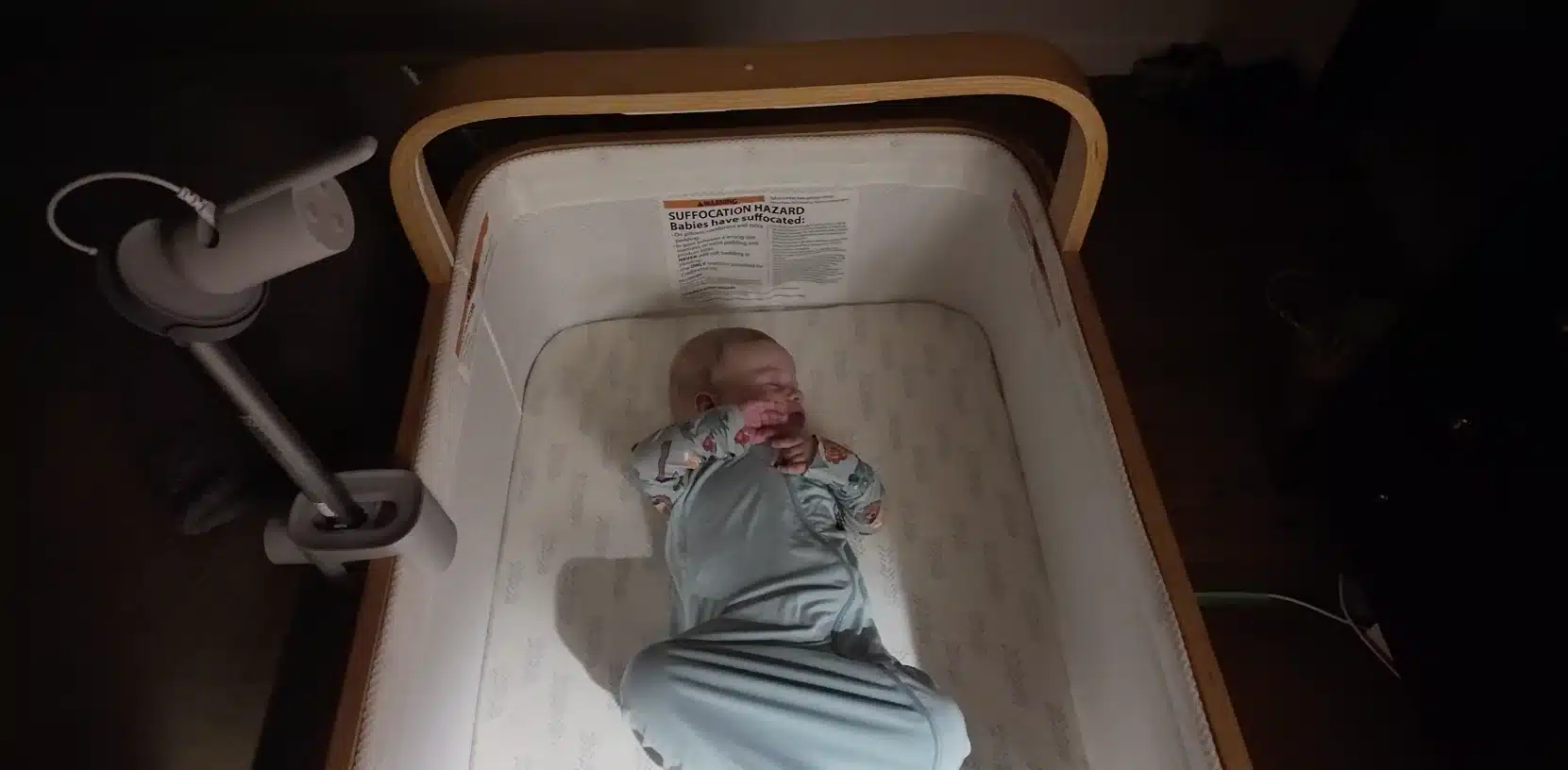

Privacy: Philips says its Secure Connect System encrypts the links between camera, parent unit and app, and the parent unit keeps working with wifi off.
Our rating: 8.5/10.
Harbor — best for privacy and travel
The Harbor ($499, core features with no required subscription) is the monitor I reach for when the wifi can’t be trusted, which on the road is always. You pay once for the camera plus a 10-inch dedicated parent unit, you own it, and core features stay free on your device — a different deal in a category built on monthly fees. Optional AI Alerting + Sleep Insights runs about $14.99/mo (harbor.co, Oct 29, 2026) (14-day trial) if you want them. The part that sold me is that it works with or without the internet. On a San Diego trip with my wife’s parents, the house wifi was the usual vacation-rental disaster, and Harbor’s local backup mode ran camera-to-monitor with no connection at all. It just worked.
Two more things matter here. The picture is crisp, with strong night vision, and noticeably sharper than the Nanit side by side. And your footage stays local, with end-to-end encryption and no cloud archive of your kid’s midnight meltdowns sitting on someone’s server. There’s no breathing tracking, and the software is younger than Nanit’s, so it’s a little less polished. Those are the tradeoffs for owning your data outright.
One pairing worth mentioning, since travel is where Harbor earns its keep: the monitor handles the room, but it can’t carry the diapers through an airport. That’s where the Fathercraft Sling lives, with a quick-release buckle, a real parent pocket, and a removable changing pad for the gate-change you didn’t plan for. Different job, same trip.
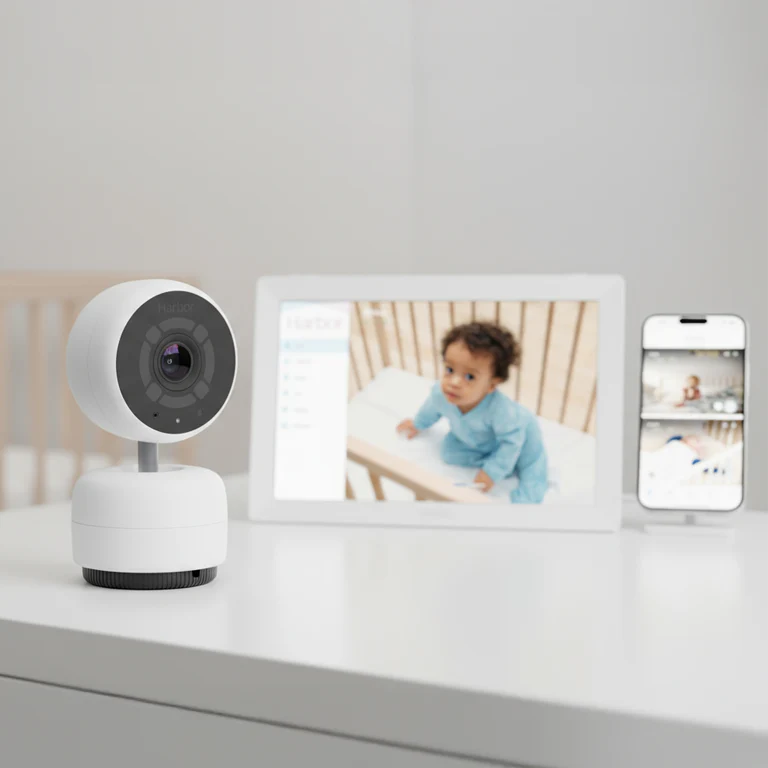
Works with or without wifi. Dedicated screen. Does everything except for advanced AI alerts without a subscription.
Privacy: Harbor lists mTLS encryption, on-device storage and a parent unit that works without the internet (harbor.co).
Our rating: 8/10.
If you just want to see the baby (best non-WiFi and hybrid monitors)
If you want a monitor that never touches your wifi, get the VTech Advanced HQ Max (7.5/10). It’s non-WiFi, has no app and no fees, and it’s the only non-WiFi monitor we tested with motion detection. On our range walk it made it halfway down the neighbor’s sidewalk, same as the Eufy and HelloBaby, while the BabySense quit about 20 feet out the front door. If you want a local connection most of the time and phone alerts some of the time, the Eufy E21 is a hybrid: flip a switch between the two.
VTech Advanced HQ Max — best non-WiFi monitor and best value
The VTech Advanced HQ Max (no wifi, no app, no fees) earns its spot with parents who just want a monitor that works. The screen is a generous 7 inches, the video is properly crisp, and the build feels like actual electronics rather than a cereal-box prize. Range is the headline: the parent unit held a signal well past where you’d ever reasonably stand from the crib. Audio is smooth, with none of the robotic stuttering the cheap monitors fall into.
The feature that separates it from every other non-wifi monitor I tested is motion detection. Most monitors in this class manage sound activation at best — the baby cries, the screen wakes. The VTech actually watches for movement, which is smart-monitor behavior in a unit that never touches your network. It also runs a 5000mAh battery for roughly 12 hours, with night vision, a two-way talk button, and a multi-color night light.
The only thing you give up is the phone. No app means no push notifications, so the parent unit is your only window, though you can switch its screen off and still hear the baby. Prices on a monitor like this bounce around with Amazon sales, so check the live number. For a monitor at this price, that’s a trade most families will happily make.

Privacy: no wifi, no app, no account. The camera talks to the parent unit over a direct 2.4GHz frequency-hopping link, so nothing goes online.
Our rating: 7.5/10.
Eufy E21 — best for most people (hybrid: WiFi or local)
The Eufy E21 ($259.99 list) is the one I’d hand to most parents, because it refuses to make you choose between wifi and no-wifi. Flip a switch and it’s a self-contained camera-and-screen with a 5-inch parent unit; flip it back and you’ve got a full app with push notifications. Backyard? Open the app. Garbage hotel wifi? Drop to local. The picture is the sharpest in the whole test — a 4K camera with crisp night vision — and the app is good in the plain sense, not the “good for a baby monitor” sense. Pan, tilt, and 8× zoom are all there, plus a built-in battery so you can move it room to room.
Two caveats, both worth saying out loud. It’s more than double the VTech, so if you’ll never touch the app, you’re paying for flexibility you won’t use. And Eufy is owned by Anker; in 2022 researchers found Eufy cameras uploading data to the cloud despite a “local storage only” promise, and the company later settled with the New York Attorney General for $450,000. Eufy says it’s fixed, and I haven’t seen a new incident since. If wifi flexibility matters and data security genuinely keeps you up at night, the Harbor is the cleaner choice. If it doesn’t, this is the best monitor in its tier, full stop.
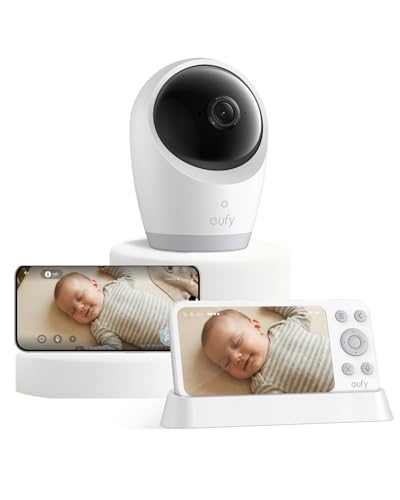
Privacy: Eufy lists RSA-1024 and AES-128 encryption and a switch that cuts wifi for a local-only connection (eufy.com); see the 2022 caveat above.
Our rating: 8/10.
Nanit vs Eufy: which should you get?
Get the Nanit if you’ll actually use sleep data: it has the most detailed sleep tracking we tested, but the analytics live behind Insights, about $530–$890 over two years on the $289.99 Wall Mount or Floor Stand setup that Insights requires. Get the Eufy E21 if you mostly want to see the baby: a sharper 4K picture, a 5-inch parent unit, a local mode for bad wifi, and no subscription at $259.99. Eufy’s 2022 cloud-upload issue and $450,000 New York AG settlement are the reason to pause; Eufy says it’s fixed.
Consider with caution: Miku Pro
The Miku Pro (from $129.99 with the wall mount, plus a subscription for the good stuff) is a hard one, because the hardware is excellent and the company keeps changing the deal. Crisp 1080p, a wide field of view, and contact-free breathing tracking through its five-sensor SensorFusion system that works without anything on the baby. The sleep-analytics interface is one of the cleanest in the category.
The catch is the business model. After an ownership change, breathing tracking — the feature people bought the thing for — moved behind a Mikucare / Care+ Membership (Mikucare Membership, $9.99/mo per device on mikucare.com, Oct 29, 2026). Audio and video still work without it. Imagine buying a car and a year later the new owners switch off the air conditioning unless you start paying monthly. The hardware’s still good. The relationship comes with terms that can change after you’ve handed over the money, so go in with your eyes open. You can see current pricing on Miku’s site.
Privacy: Miku says it uses 256-bit encryption with a hardware crypto chip and can stream over local wifi without the internet (Miku support).
Our rating: 8/10.
What we’d skip
Three monitors we tested and wouldn’t buy.
With the BabySense HD S2, put one wall between the camera and the parent unit and the connection starts to sweat; two walls and it drops in and out; three and it’s gone. To test range we walked out the front door with each monitor and kept going — BabySense quit about 20 feet out, while the Eufy, VTech, and HelloBaby all made it halfway down the neighbor’s sidewalk. The picture and audio trail the VTech badly, too. And the kicker: the monitor people buy because they’re scared of wifi radiation peaked at 36 times the Nanit’s reading in our EMF testing.
Our rating: 5/10.
Recall check: in February 2026 the CPSC recalled the Babysense MaxView (models VBM55/VBM55RX) because its parent unit can overheat while charging. The HD S2 we tested isn’t part of that recall (cpsc.gov, checked Oct 29, 2026).
The HelloBaby HB6550 earns one real compliment: the range is excellent, the same halfway-down-the-sidewalk distance as the VTech. Everything after that falls apart. The video looks like a police sketch of a baby — somewhere between a Nintendo 64 character and a face described by a witness without their glasses. There’s no external volume button, so adjusting the sound means clicking three menus deep like you’re reprogramming a VCR. The build feels like a Happy Meal toy.
Our rating: 4/10.
The Momcozy BM04 ($189.99 with one camera on momcozy.com, as of October 29, 2026) is a very interesting monitor, with a lot of good tech and analytics: a 1080p camera, a 5-inch parent unit or the app, and cry and motion alerts with no required subscription (cloud storage is the paid extra). The reason I wouldn’t buy it is reliability. I got dropped alerts, the app was clunky, and it just never gave the impression of things being tight. A monitor has one job you can’t compromise on, and that’s telling you when something happens.
Our rating: 6.5/10.
Are these monitors safe? What our EMF testing found
We measured the original eight monitors here with a $200 EMF meter. The “safe” non-WiFi BabySense read about 36 times the WiFi Nanit at two feet, and every reading dropped hard by five feet. These are home readings, not a safety test, so mount any camera where its manual says. Full method and data in our deep-dive: are WiFi baby monitors safe?
Baby monitor FAQs
What’s the best baby monitor for 2026?
There isn’t a single one, and any list that names just one is guessing about your life. For sleep data, the Nanit. For pulse and oxygen readings, the Owlet Dream Duo 3. For breathing tracking with nothing on the baby and no subscription, the Philips Avent Premium Connected. For privacy and travel, the Harbor. For most people who just want a reliable picture, the Eufy E21. For the best value with no fees, the VTech Advanced HQ Max.
What’s the best hybrid (wifi and non-wifi) baby monitor?
The Eufy E21. It flips between a local connection and full wifi-with-app on a switch, so you get a dependable parent unit at home and push notifications when you’re away. Harbor is the other strong option — it runs a local backup mode when the internet drops, which is what makes it a travel favorite.
What’s the best baby monitor without a subscription?
Non-WiFi monitors like the VTech, and the hybrid Eufy E21 ($259.99 list), charge you nothing after purchase. Among the smart monitors, the Harbor (8/10; $499) is the standout for core features with no required monthly fee; optional AI Alerting + Sleep Insights runs about $14.99/mo (harbor.co, Oct 29, 2026) (14-day trial). Nanit and Owlet also work without a plan (Nanit even includes breathing-motion alerts with its Breathing Wear); the paid plans add sleep analytics (Nanit) or longer video storage and daily reports (Owlet). The Philips Avent Premium Connected ($349.99 suggested retail on philips.com, Oct 29, 2026) is the only one we tested that tracks breathing with nothing on the baby and no subscription; Moments video history is a $5.99/mo add-on. Miku now charges for breathing tracking.
What’s the best non-wifi baby monitor?
The VTech Advanced HQ Max. It’s fully non-WiFi, has a 7-inch screen and real motion detection, and matched the best range in our walk test. If you want local most of the time and an app sometimes, the Eufy E21‘s hybrid switch is the better buy.
What’s the best baby monitor for travel?
The Harbor, because its local backup mode ignores bad hotel and rental wifi entirely. The Eufy E21 is the lighter, cheaper alternative with the same flip-to-local trick. Pair either with the Fathercraft Sling for the diapers-and-wipes part the monitor can’t help with.
What’s the best baby monitor for twins or two cameras?
Look for systems that support multiple cameras on one parent unit, and price the second camera before you buy, since that’s where the cost jumps. Eufy E21: add-on camera $129.99, with split screen on the parent unit. BabySense HD S2: $150.99 for the two-camera set, split screen, up to four cameras. Harbor: up to four cameras on one parent unit. Nanit: $579 for the twin multi-pack, or $289.99 for a second Wall Mount or Floor Stand camera. Momcozy BM04: $259.99 for the two-camera version. (Brand sites, Oct 29, 2026.)
Are wifi baby monitors safe?
Our home EMF readings can’t settle that on their own. What they show: the wifi monitors read lower than most non-wifi ones and lower than a wifi router at the same distance, and every reading dropped fast with distance. Mount per your monitor’s manual and keep cords out of reach. Full data is in our EMF deep-dive.
Can you use an HSA or FSA to buy a baby monitor?
Some can. Owlet says its Dream Sock and Dream Duo are HSA/FSA eligible, and Nanit says its Smart Baby Monitor is HSA/FSA eligible when bought on nanit.com, excluding the Insights plan, Home Display, and Sound + Light Machine. Check whether accessories, including Nanit’s Breathing Wear line, are eligible separately, and keep your receipt.
What other baby monitors have you reviewed?
Plenty. Beyond the picks above, we’ve got individual reviews for the Infant Optics DXR-8, the Lollipop Cam, the CuboAi, and the Wyze Cam, plus deeper dives on our top picks: the Nanit, Owlet, and Harbor. Weighing a model we didn’t name here? Start with our full review list. We’ve tested the Infant Optics DXR-8. The more recent models are better, but they still did not earn a spot on our best baby monitors list. Already have a Nest camera? Read our guide to using a Nest Cam as a baby monitor.
What’s the best baby monitor in Australia, Canada, or the UK?
The picks hold up internationally, with availability the main variable. Nanit, Owlet, and Eufy sell through local retailers and Amazon in all three markets; VTech’s exact model names vary by region; Harbor is primarily US-direct, so check shipping before counting on it abroad. Pricing shifts with currency and import, so treat the US figures here as a baseline. If you want a non-WiFi monitor in Australia or the UK, look for VTech’s local equivalent of the Advanced HQ Max; check the model name and plug type before you buy.
What’s next?
If you landed here because you’re deep in the sleep-deprivation tunnel, start with the monitor that fits your camp and then go one level deeper on it — our full Nanit review, Owlet review, and Harbor review all carry the long-form testing notes that wouldn’t fit here.
If the radiation question is still rattling around your head, the EMF testing breakdown goes deeper on what we measured and what it can’t tell you, because it’s numbers instead of vibes.
And if you’re reading this before the baby’s even here, the monitor is the easy part. The hard part is the stuff nobody hands you a manual for, which is exactly why we built Father’s Ed — a short, hands-on course for new and expecting dads that covers far more than gear. You can try the first third for a dollar. And if you’d rather watch the testing than read about it, Mark walks through the original eight monitors in the video up top.
Now go get some sleep. You’re going to need it.